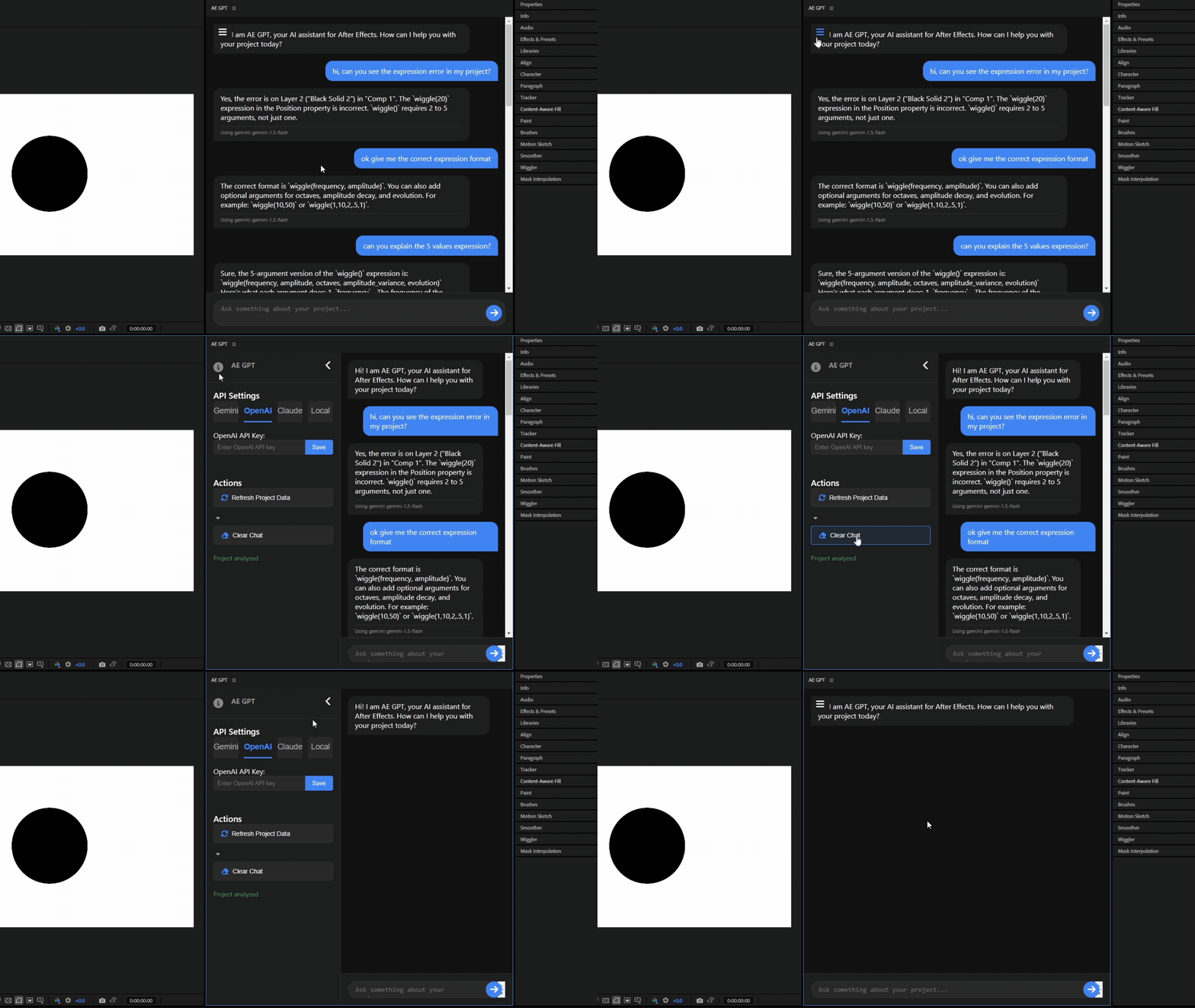
AE GPT brings powerful AI assistance directly into After Effects & Premiere Pro. Get instant help with expressions, scripts, and troubleshooting using ChatGPT, Claude, or Gemini.
AE GPT understands your project context and provides intelligent assistance tailored to your needs.
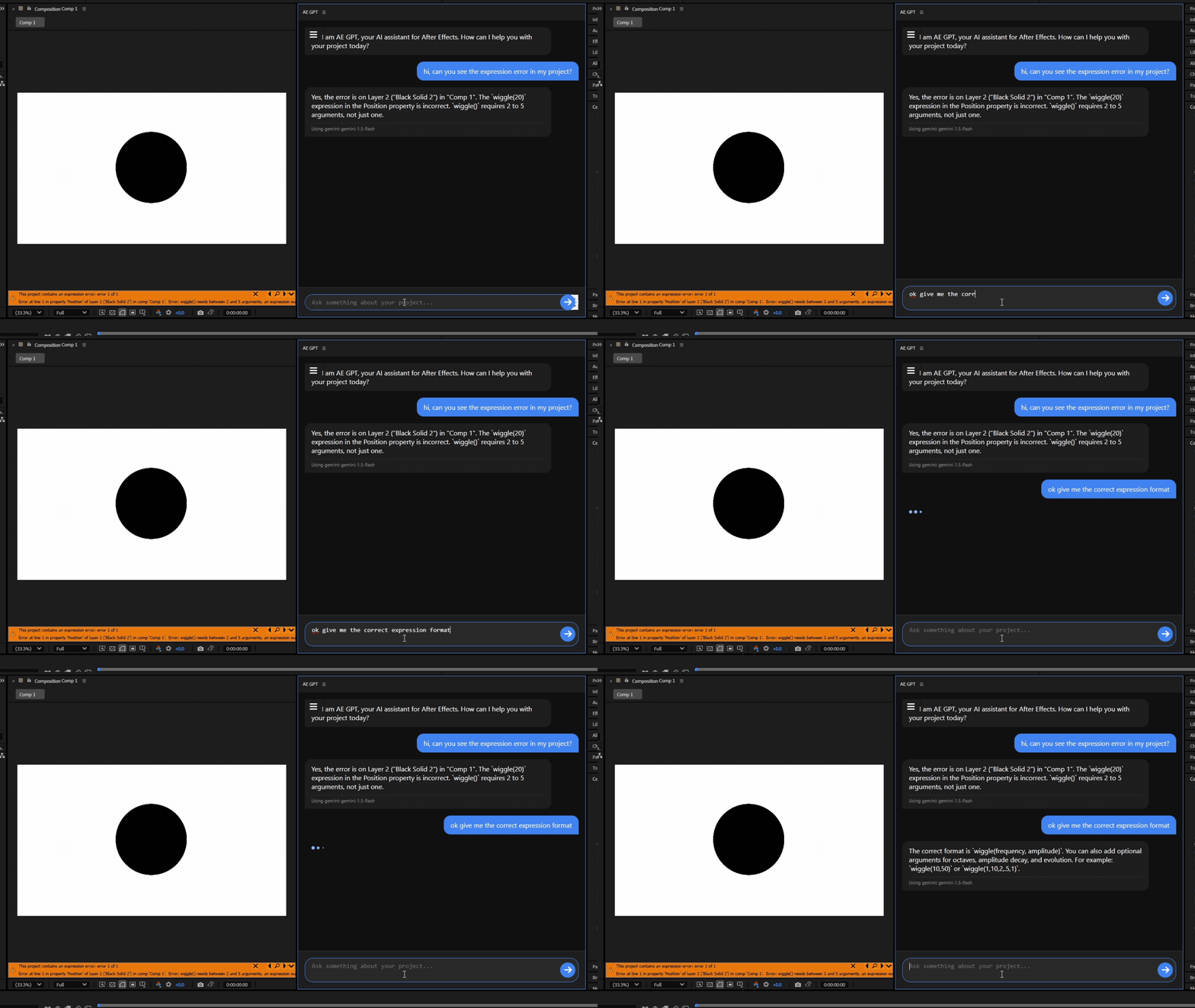
Fix errors and create complex expressions with plain language requests. AE GPT understands your project context.
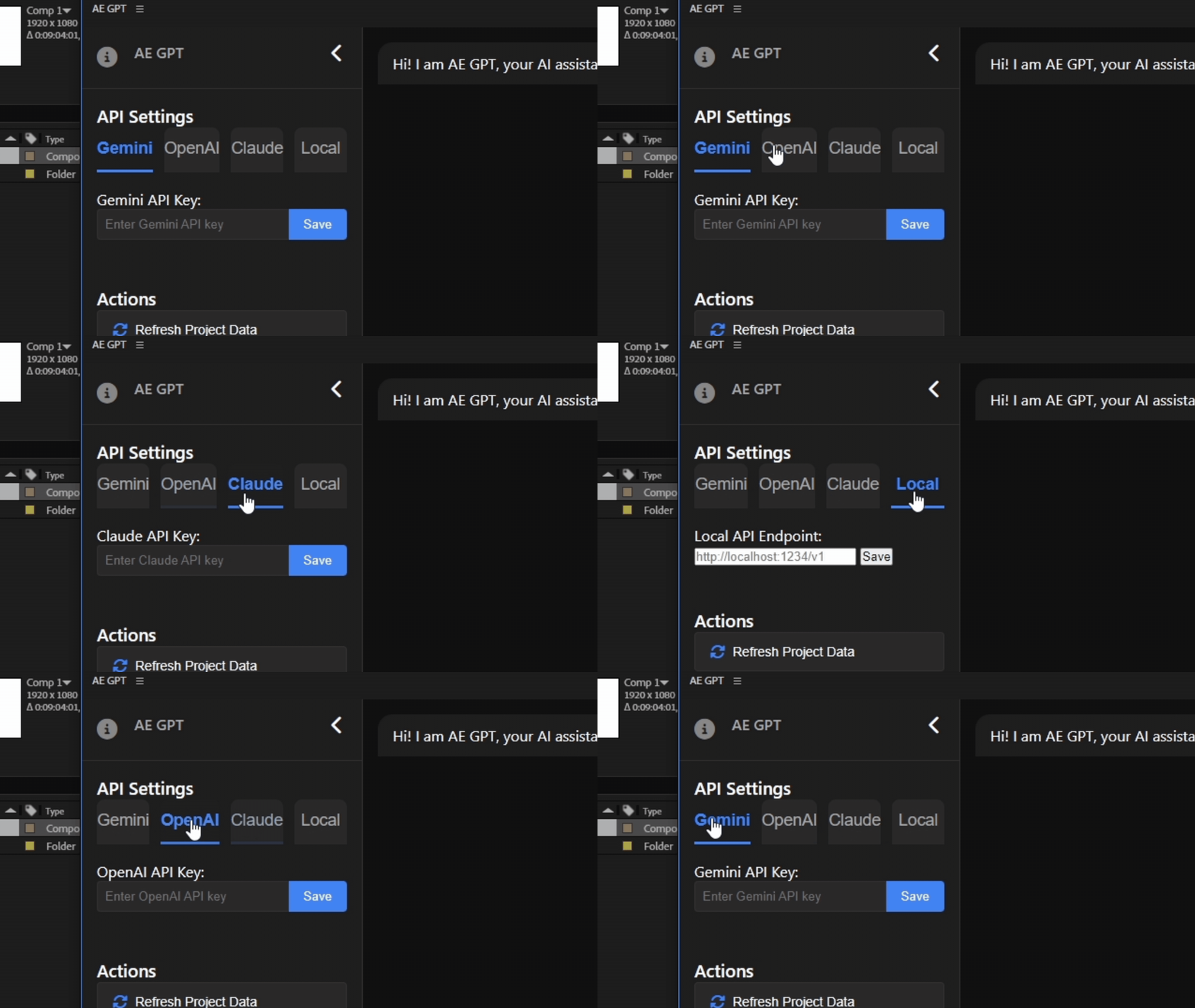
Choose from Gemini, OpenAI (GPT-4), Claude, or connect to a local AI model based on your preference.
Get inspiration for effects, transitions, and animations right when you need them.
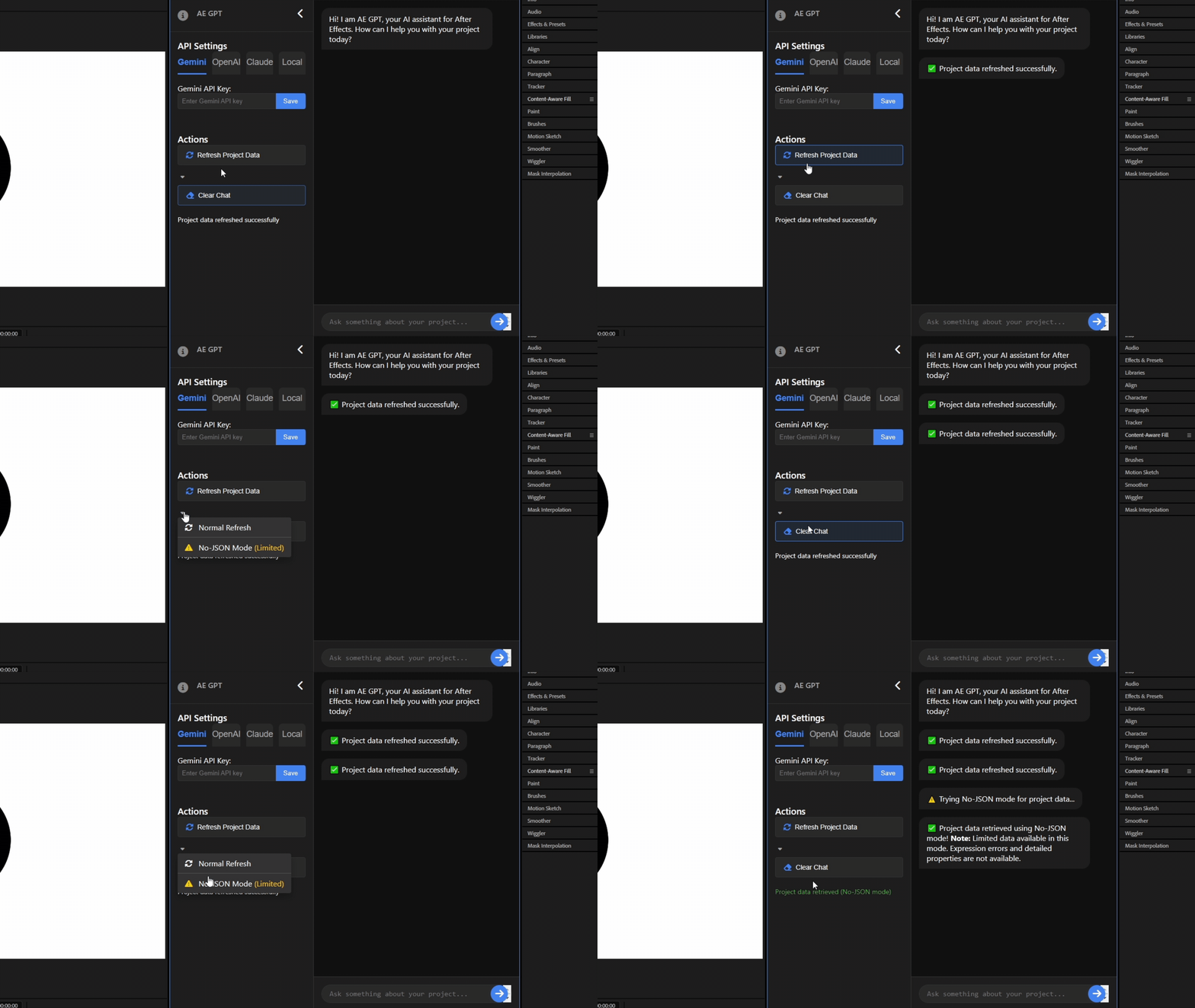
AE GPT analyzes your project structure, layers, effects, and expressions for contextual help.
Get suggestions for improving performance and streamlining your motion design workflow.
NEW in v1.1! AE GPT now works seamlessly in Premiere Pro for your editing workflow.
AE GPT helps motion designers overcome common challenges in After Effects and Premiere Pro.
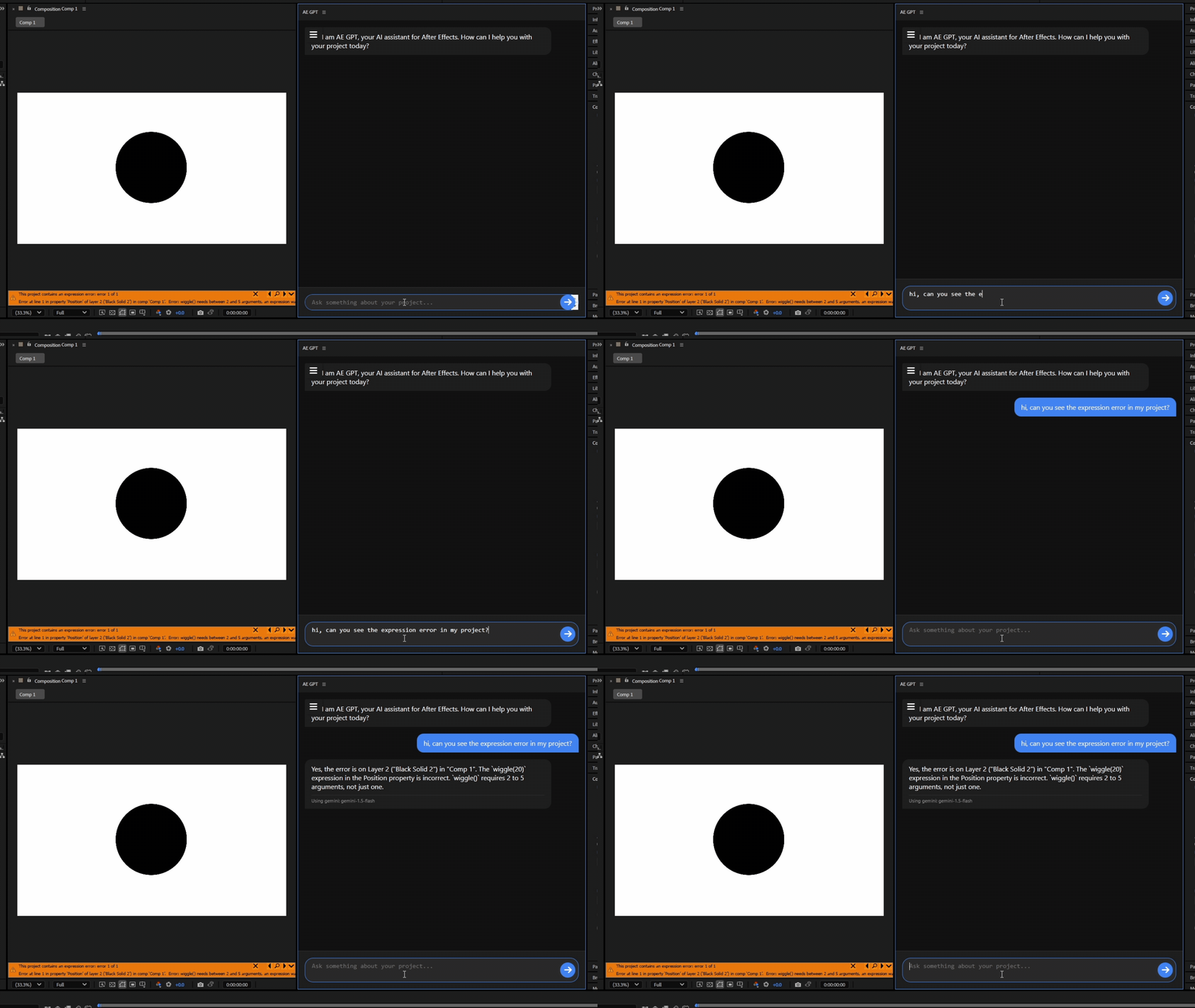
Struggling with complex expressions? AE GPT can diagnose and fix errors, explain what went wrong, and help you understand the solution.
Simply ask about the error, and AE GPT will analyze your project and provide a working solution.
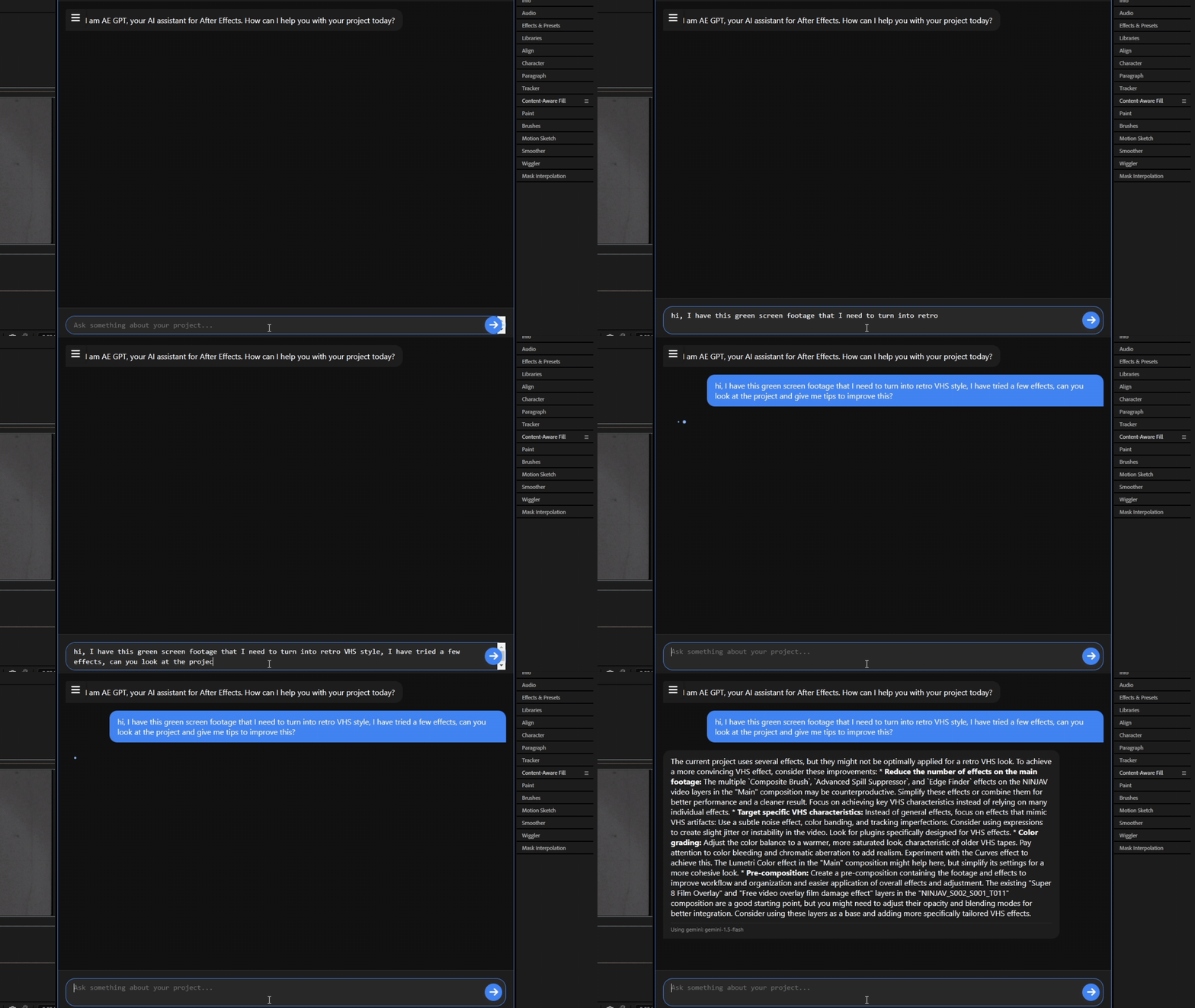
Need inspiration? AE GPT suggests creative approaches, effects combinations, and animation techniques based on your project goals.
Describe what you’re trying to achieve, and get tailored suggestions and implementation steps.
Is your project slow? AE GPT analyzes your project structure and suggests optimizations for better performance.
Get personalized recommendations for pre-comping strategies and project management techniques.
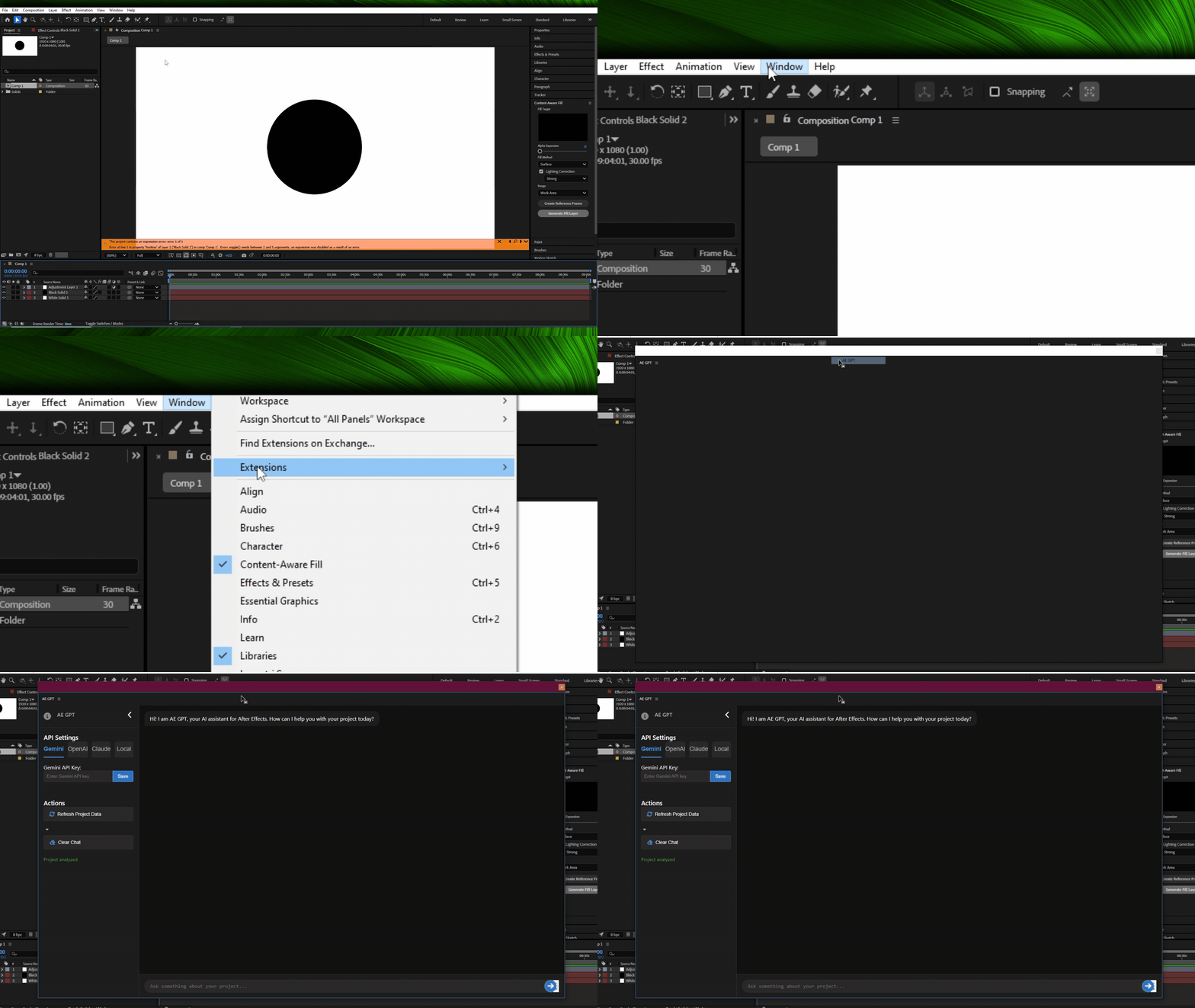
See how AE GPT transforms your workflow with these practical examples.

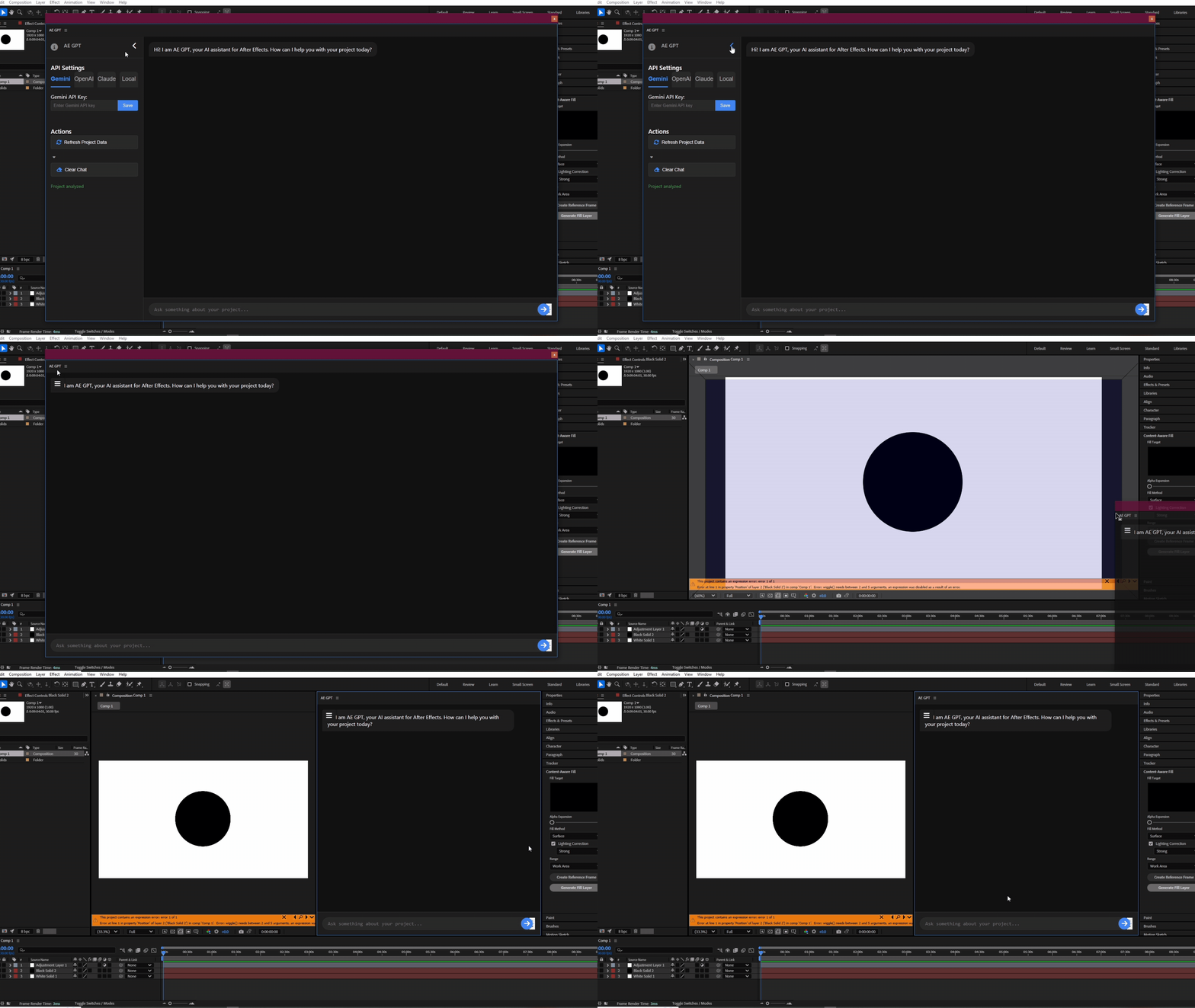
Open the extension within After Effects with a single click

Choose from OpenAI, Gemini, Claude, and local LLMs

Dock and resize the panel to fit your workspace

AI analyzes your project for contextual understanding

Get correct expressions generated instantly by AI

Clean UI with easy-to-use chat controls
Get up and running with AE GPT in minutes.
Download AE GPT from aescripts.com. The extension comes as a .ZXP file.
Use ZXPInstaller or the ZXP/UXP installer from aescripts. Drag and drop the extension file into it.
Choose your AI provider (Gemini, OpenAI, Claude, or Local) and enter your API key in the panel.
Click “Analyze Project” to let AE GPT understand your project, then start asking questions!
AE GPT is compatible with Adobe After Effects 2021 and newer on Windows and macOS.
Yes! Version 1.1 adds full Premiere Pro support with AI assistance for editing workflows.
Yes, you’ll need your own API key for Google AI Studio, OpenAI, or Anthropic. Keys are stored locally.
Yes! AE GPT only sends project info when you request it. API keys are stored locally on your machine.
Yes, AE GPT supports local AI models via Ollama, LM Studio, or any OpenAI-compatible endpoint.
OpenAI GPT-4o, Google Gemini 2.5, Anthropic Claude Sonnet 4, and custom local LLMs.
Join thousands of motion designers using AI to boost productivity and creativity in After Effects and Premiere Pro.
Download AE GPT NowAE GPT is the ultimate AI-powered assistant for Adobe After Effects and Premiere Pro, designed for motion designers, animators, and video editors. Now with v1.1 supporting Premiere Pro, you can leverage ChatGPT, Claude, or Gemini AI directly in your editing timeline. Fix expression errors, generate creative ideas, optimize performance, and automate repetitive tasks—all without leaving your Adobe environment. Compatible with multiple AI providers including OpenAI’s GPT-4o, Google’s Gemini 2.5, Anthropic’s Claude Sonnet 4, and local LLM options, this versatile extension gives you flexibility to choose the AI that works best. Transform your motion design and video editing process with AE GPT—the smart assistant that understands Adobe from the inside out.